Canvas LMS Interface Simulation

LMS Simulation Solution for College Faculty
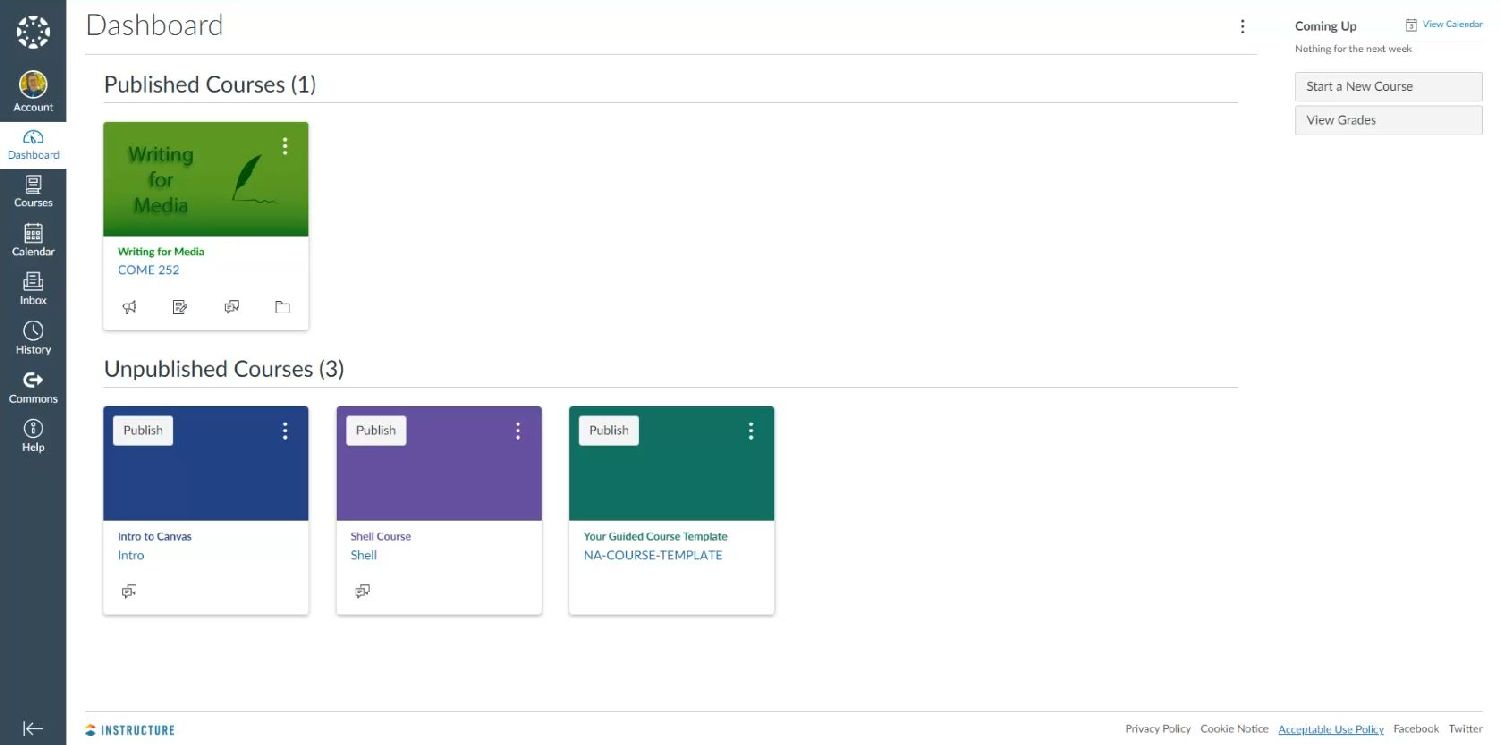
Canvas LMS Dashboard Screenshot
The Problem
Our college is transferring their Learning Management System (LMS) from Moodle to Canvas. Faculty who have never used Canvas need to become more familiar with their new LMS.
The Solution
A 2-part software simulation solution was created.
  • Demo Video: A demo video was created to allow faculty to see an overview of the Canvas interface.
  • Training E-Learning Module: An e-learning module was created to allow faculty to listen to guided instruction and read on-screen hints to practice navigating and customizing the Canvas interface.
Responsiblities and Tools Used
  • Responsibilities: Subject-Matter-Expert, Instructional Designer, and E-Learning Developer
  • Tools Used: Adobe Captivate, Adobe Audition, Canvas LMS (Free for teachers edition), and Microsoft Word
This e-learning solution not only offers instruction to the faculty about how to use the Canvas interface, but also offers them an opportunity to practice. Faculty can watch the demo video to gain familiarity with the interface, practice their knowledge in the simulation, or both. The demo video can also be viewed later as "just-in-time" learning.
Demo Video and E-Learning Module
Designer and Developer
Demo Video
Training E-Learning Module (Click Play to Begin)
Voiceover Script